UI Overview
Supervisor UI
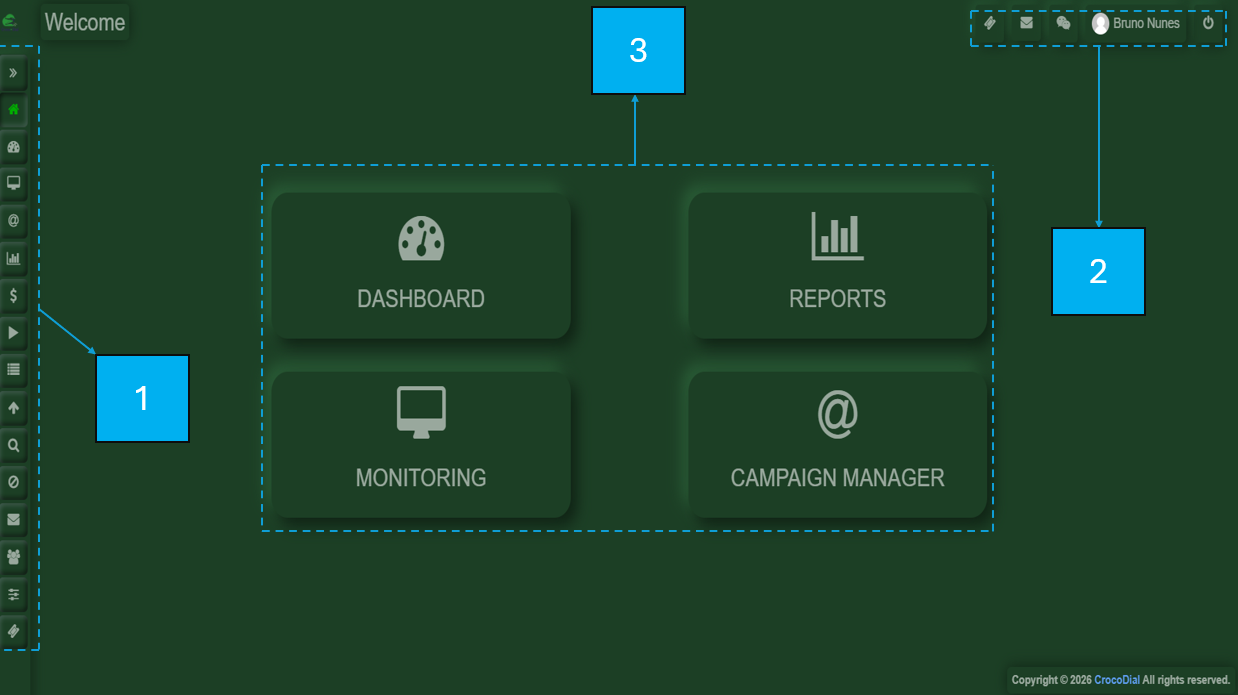
The supervisor view is divided in the following areas:
1-On the left-hand side, there is a menu bar.
2-On the upper-right side, you will find a compact options panel for your profile, logout, tickets, voiceline, and chat.
3-In the central section, the selected menu option will be displayed.
AGENT
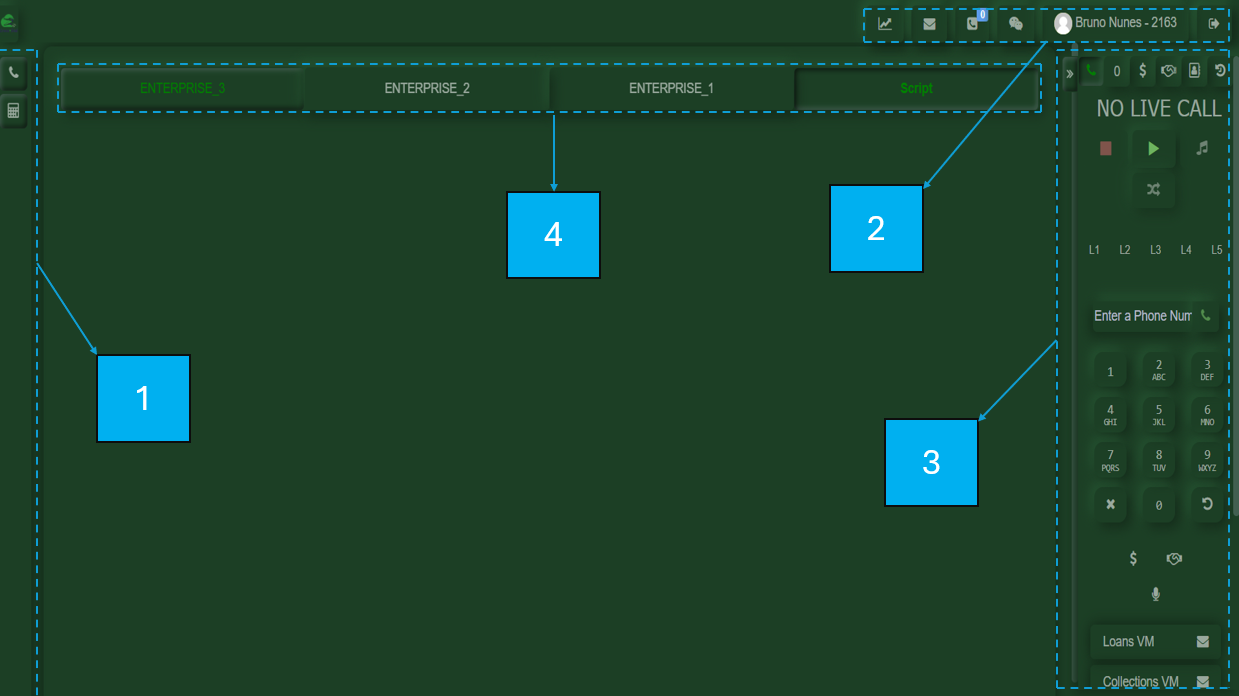
1-On the lower-left side, you will find quick access shortcuts to a calculator and a button to return to the call controls.
2-On the upper-right side, you will find your customized user panel, where you can access your assigned daily metrics, including New Voiceline, Callbacks, your profile, and the logout option.
3-On the lower-right side, you will find your calling tool, which contains all the options required to make and receive calls.
4-In the central section, you will find the interchangeable CRM interface.