Steps To Reset a Password.
in this book we learn how tu reset a password from the anyone user
Steps to Reset a Password.
Description:
in this book we lern how to change or reset the password from someone user
Step 1: Log in with your user account as an admin.
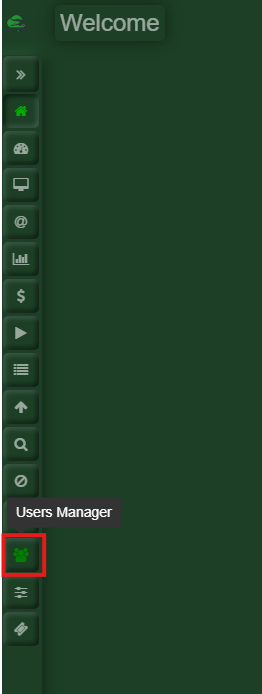
Step 2: Go to User Manager
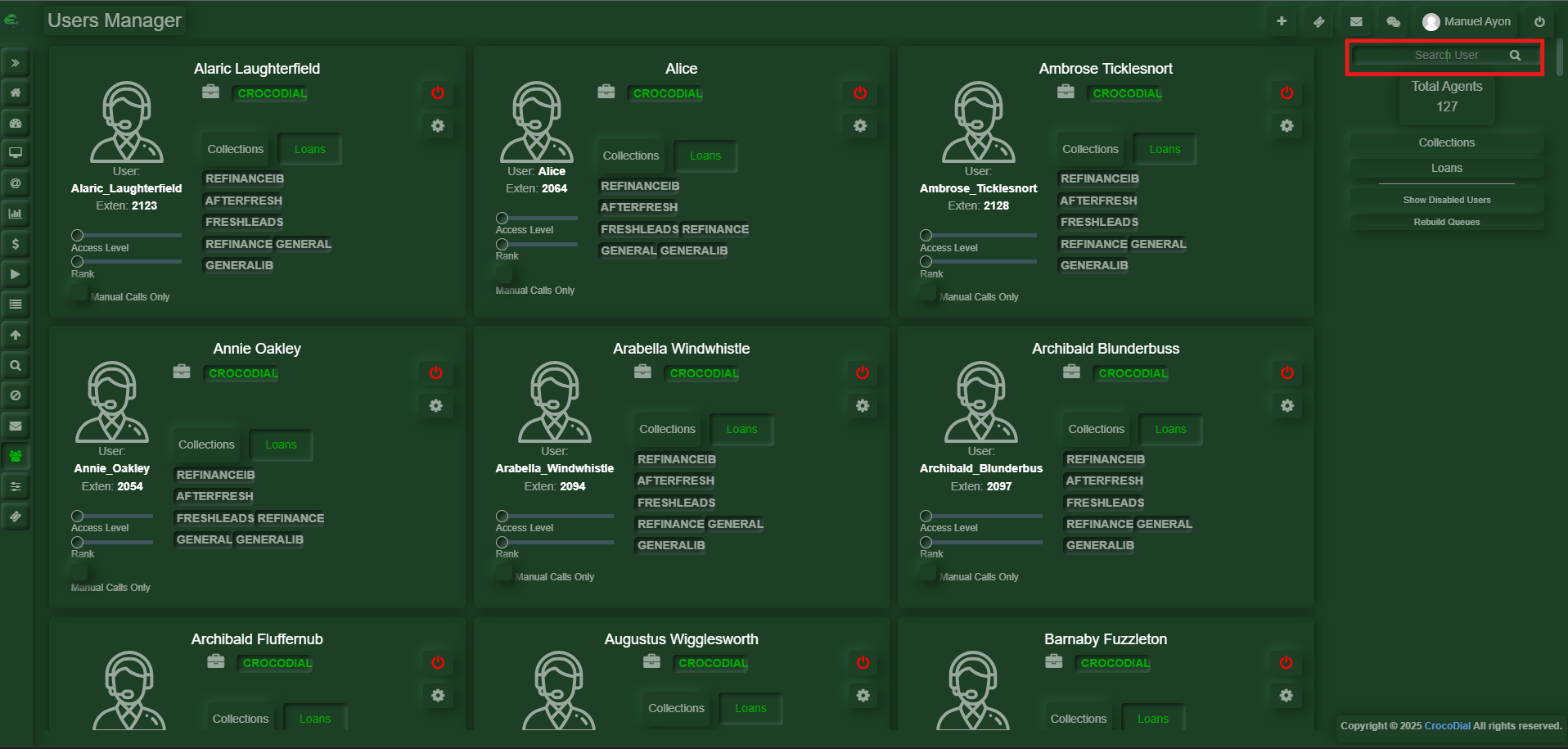
Step 3: Search the User
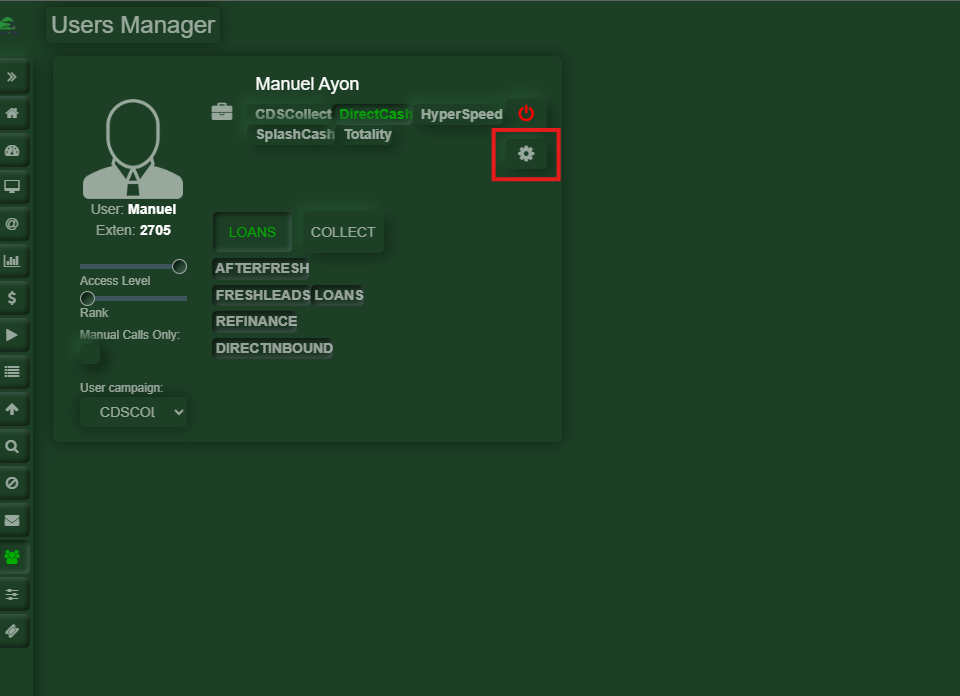
Step 4: Click on the gear icon
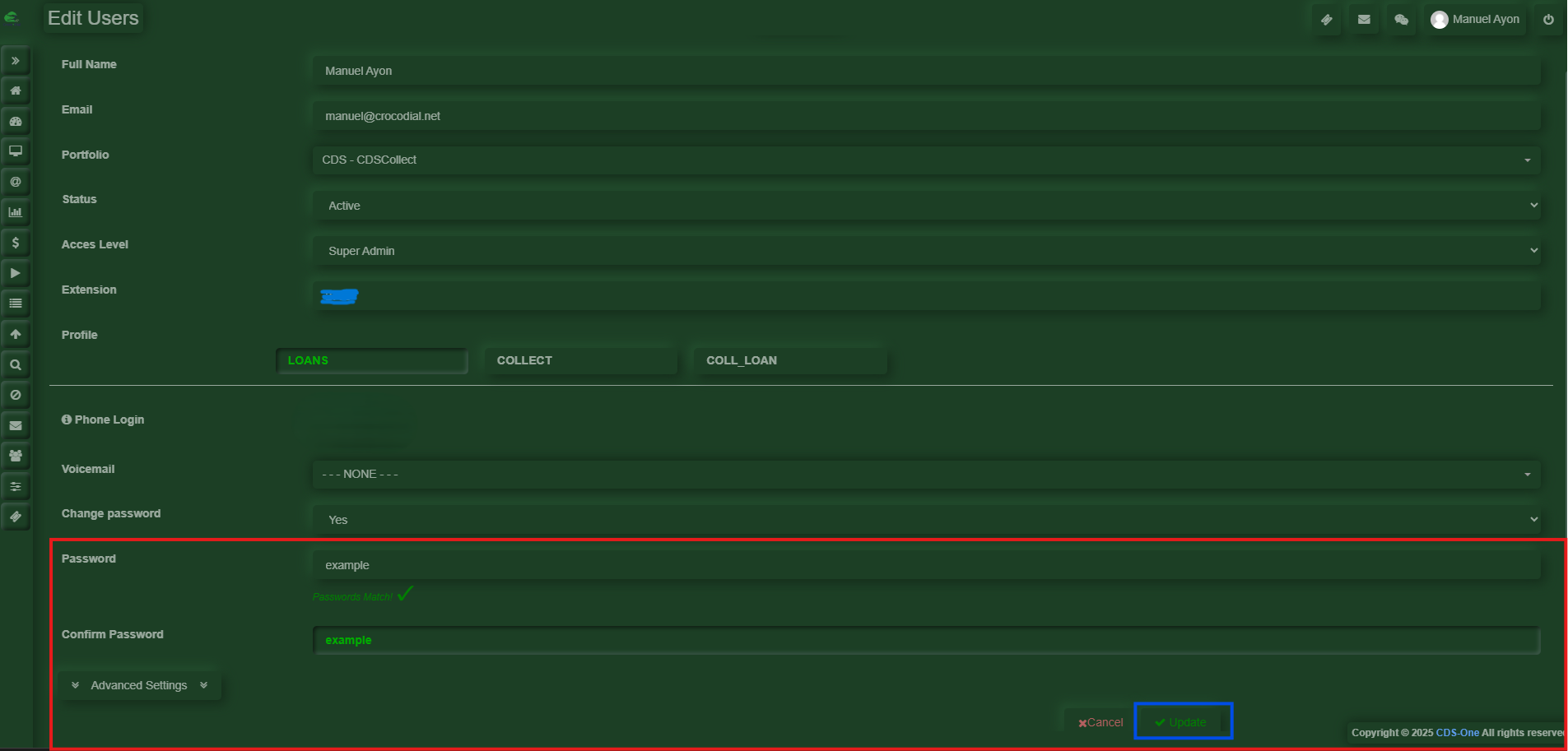
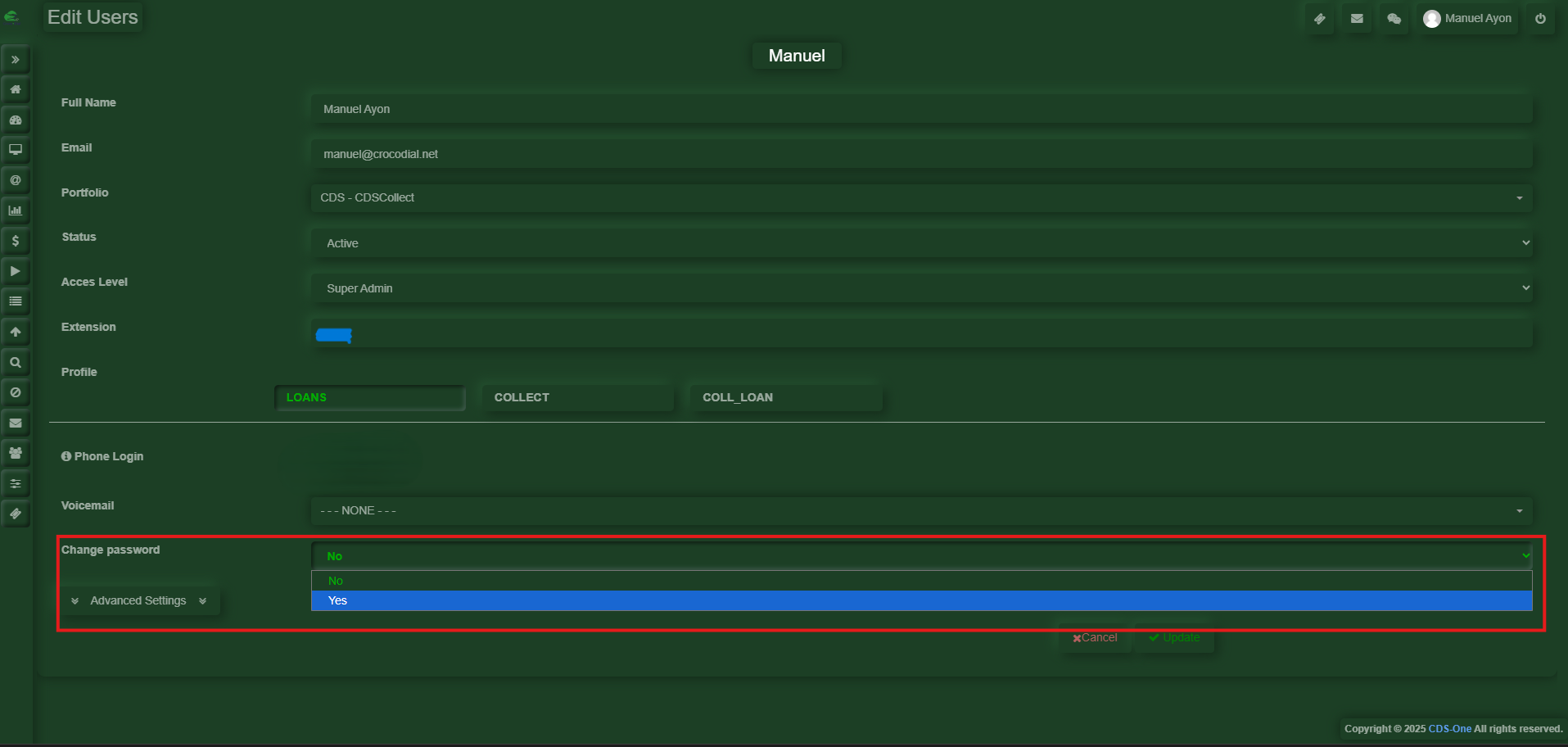
Step 5: At the bottom, look for “Change Password.” When you click on it, a drop-down menu will appear with two options: Yes and No. Select Yes.
Step 6: Two new fields will appear, where the new password should be entered in the first box and confirmed in the second. Once the message below the first box indicates “Passwords match,” click the “Update” (the blue part) button below. At that point, the password will have been successfully changed or reset.