Agent Monitoring
This section defines how supervisors and administrators monitor, manage, and support agents in real-time and historically. It ensures operational efficiency, quality control, and compliance within the dialer system.
Monitoring Overview
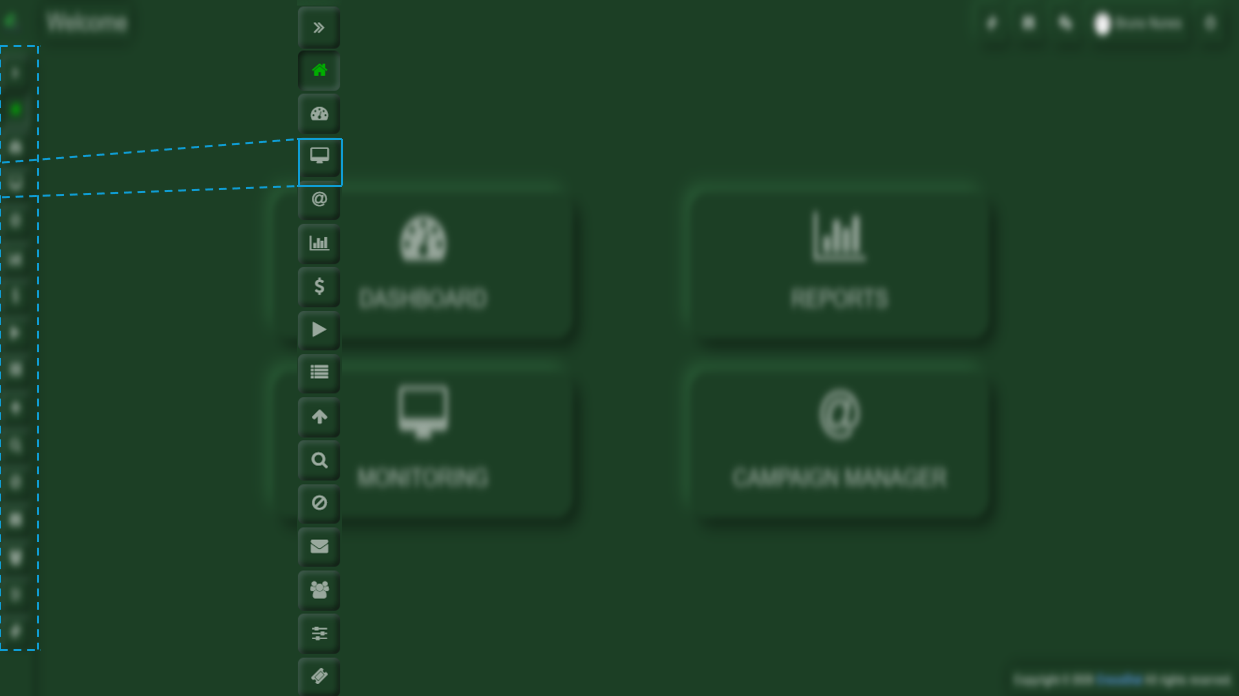
First, you will need to go to the Monitoring section located in the left-hand menu bar.
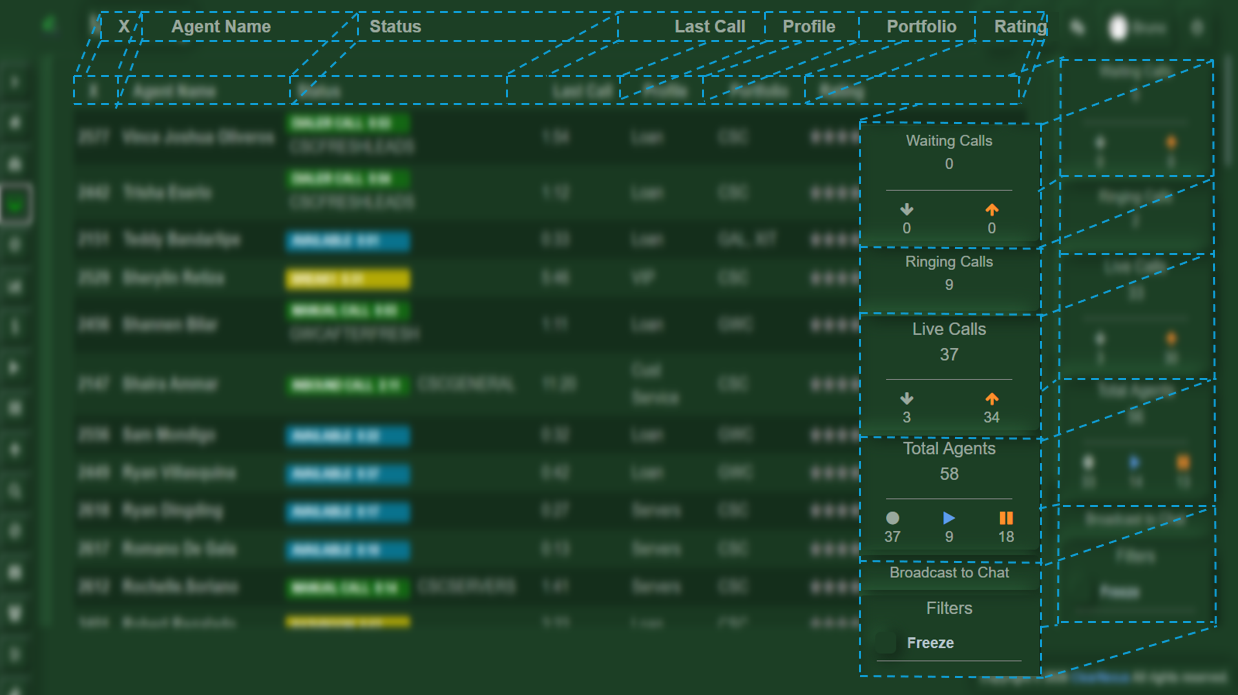
At first glance, you will find several sections, for example:
- X (Extension):
Represents the extension number of each agent. - Agent Name:
Displays the name of the agent currently logged into the system. - Status:
Indicates what the agent is currently doing, such as available, on break, in a manual call, or on an active call. - Last Time:
Shows the amount of time the agent has been in their current status. - Profile:
Displays the current profile assigned to the agent. - Portfolio:
Shows the portfolio(s) assigned to each agent. - Rating:
Displays the agent’s performance rating. - Waiting Calls:
Lists the calls that are currently waiting to be answered. - Ringing Calls:
Displays the calls that are currently ringing. - Live Calls:
Shows the calls that are currently in progress. - Total Agents:
Displays the number of agents who are on a call, on break, or available to take a new call. - Filter:
Allows you to freeze the agent view to stop real-time updates, making it easier to review information. It also lets you apply specific filters to display only the data you need.
Real-Time Agent Monitoring
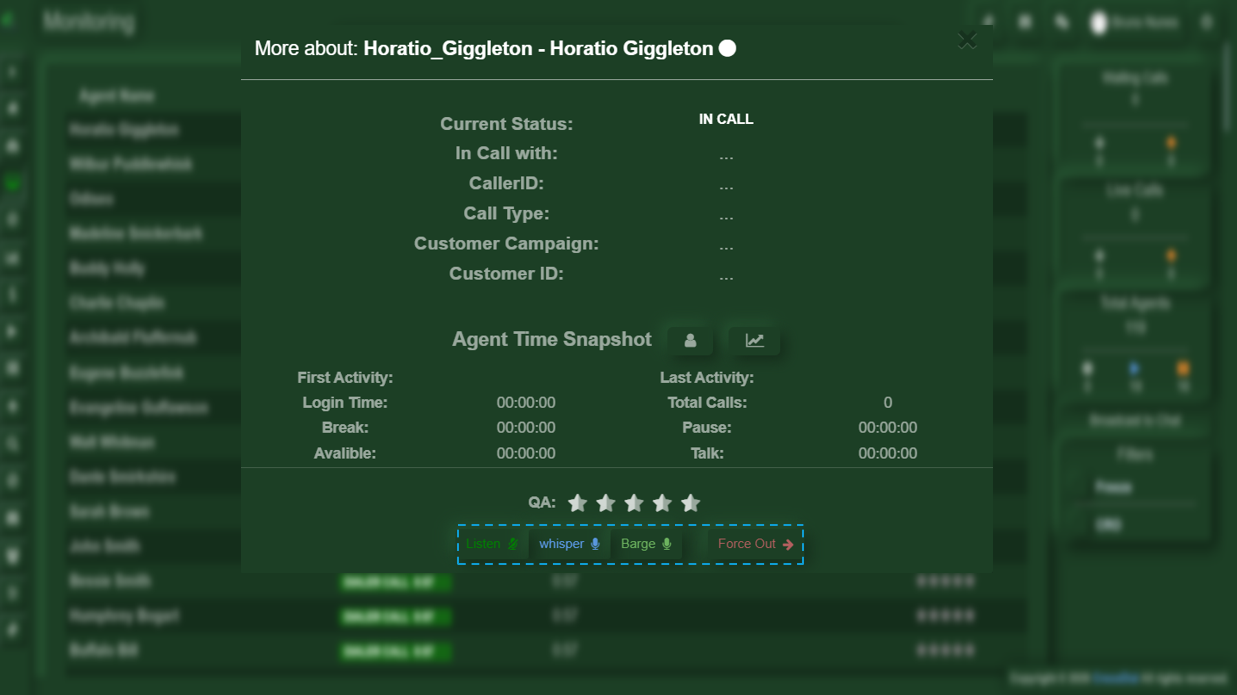
To access this section, you will need to click on the agent’s X (extension) in order to view their current information.
Here you will find several options:
- Listen:
Allows you to listen to the conversation during the call. - Whisper:
Allows you to intervene, but you will only be able to speak to the agent (the customer will not hear you). - Barge:
Allows you to fully join the call between the agent and the customer. - Force Out:
Forces the agent to be logged out of the system, regardless of their current status (on a call, on pause, available, etc.).