List of Users
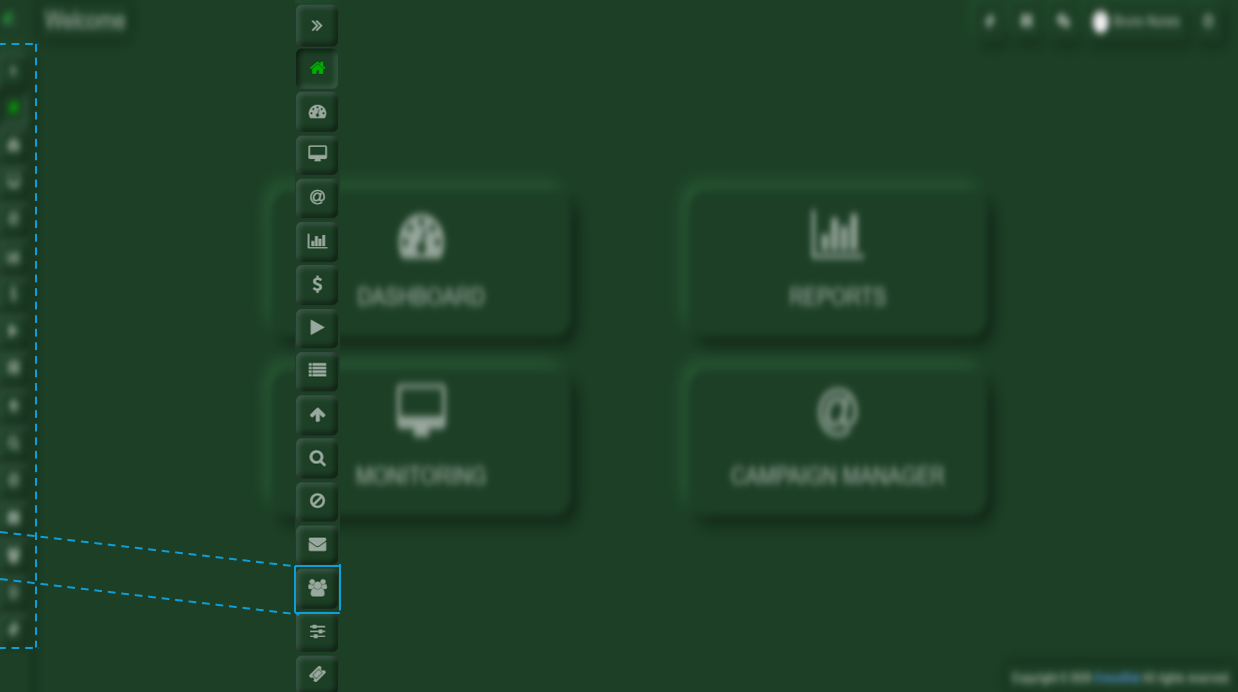
Within the side options bar, you will need to select the User Manager option.
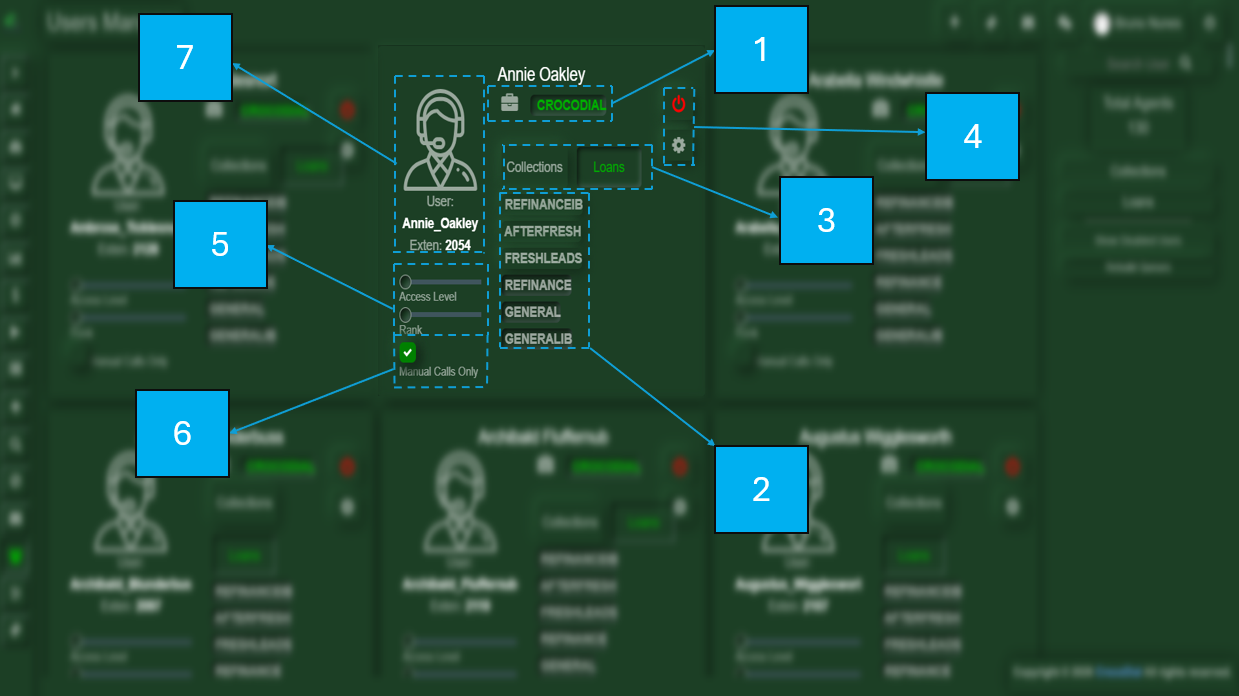
Within the Users section, you will find several components that describe a user:
- Portfoliod
- Manual Queue Selection
- Profiles
- Options (Edit user & Deactivate User)
- Access Level and Rank
- Manual Calls Only
- User Information