UI Overview (AGENT)
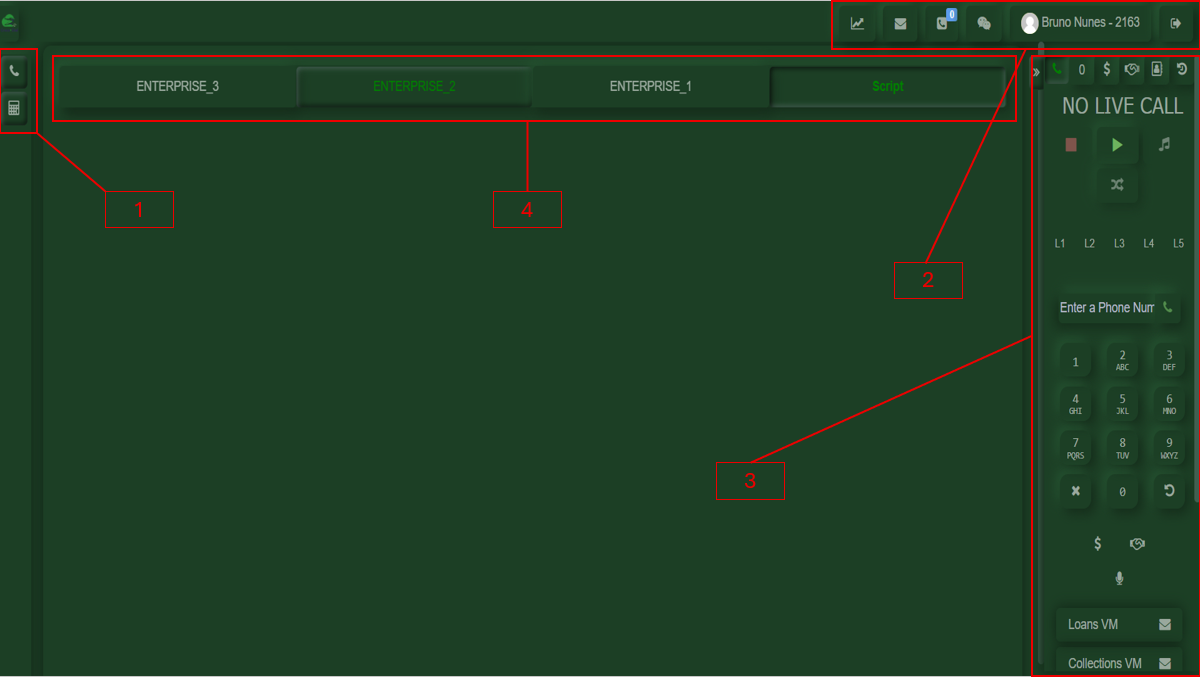
1-On the lower-left side, you will find quick access shortcuts to a calculator and a button to return to the call controls.
2-On the upper-right side, you will find your customized user panel, where you can access your assigned daily metrics, including New Voiceline, Callbacks, your profile, and the logout option.
3-On the lower-right side, you will find your calling tool, which contains all the options required to make and receive calls.
4-In the central section, you will find the interchangeable CRM interface.