Status & Control Bar
Within the main user interface, you will find several available options:
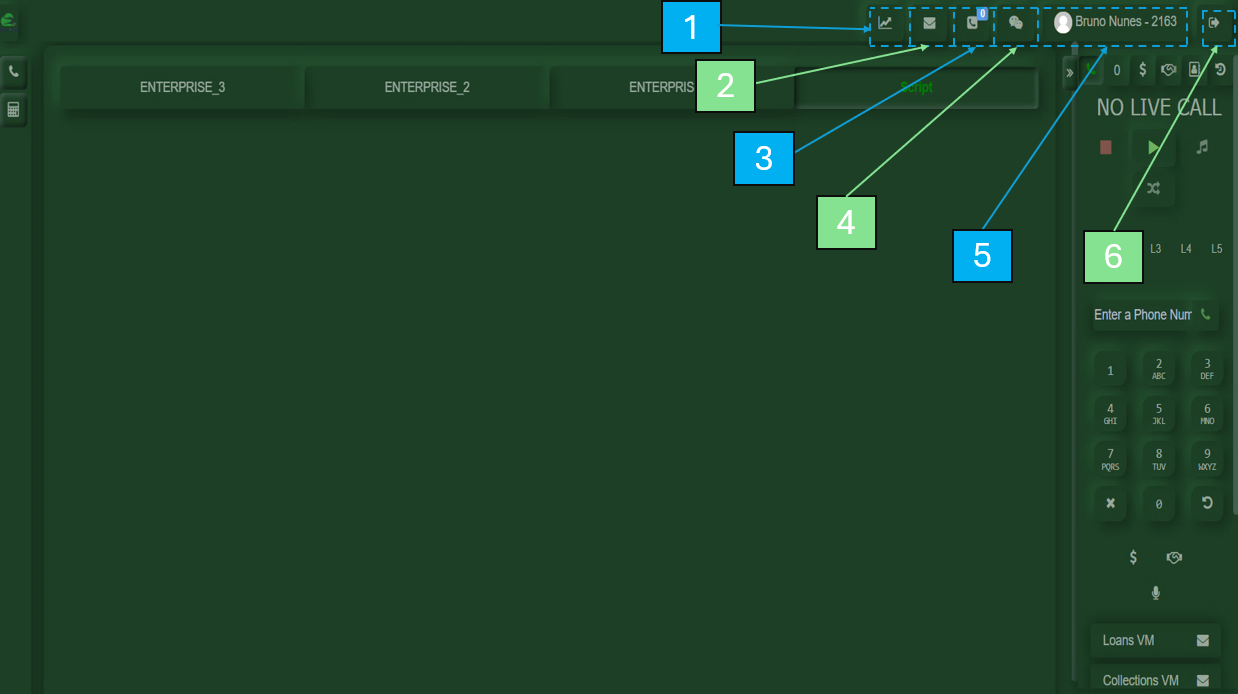
- My Stats
Displays your activity metrics, including: First Activity, Last Activity, Login Time, Total Calls, Break, Pause, Available, and Talk time. - Voicemails
Shows the voicemail messages received in your account. - Callbacks
Displays calls returned by customers. - Chat
Your personal chat for communication. - My Profile
Allows you to view your name, interface color, and other personalization settings. - Logout Button
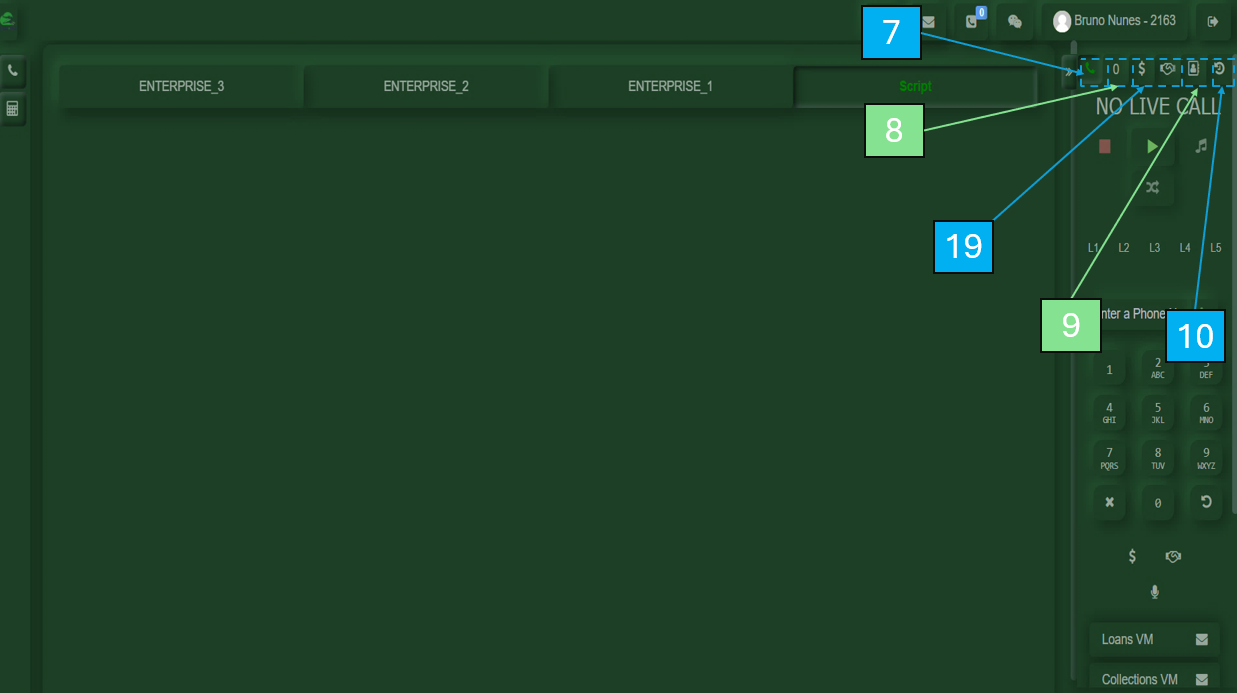
Used to sign out of the system. - Call Menu Button
Returns you to the call interface to continue handling calls. - Call Queue
Displays customers waiting in line to be attended. - Phonebook
Contains a list of saved contact numbers for different needs. - Call History
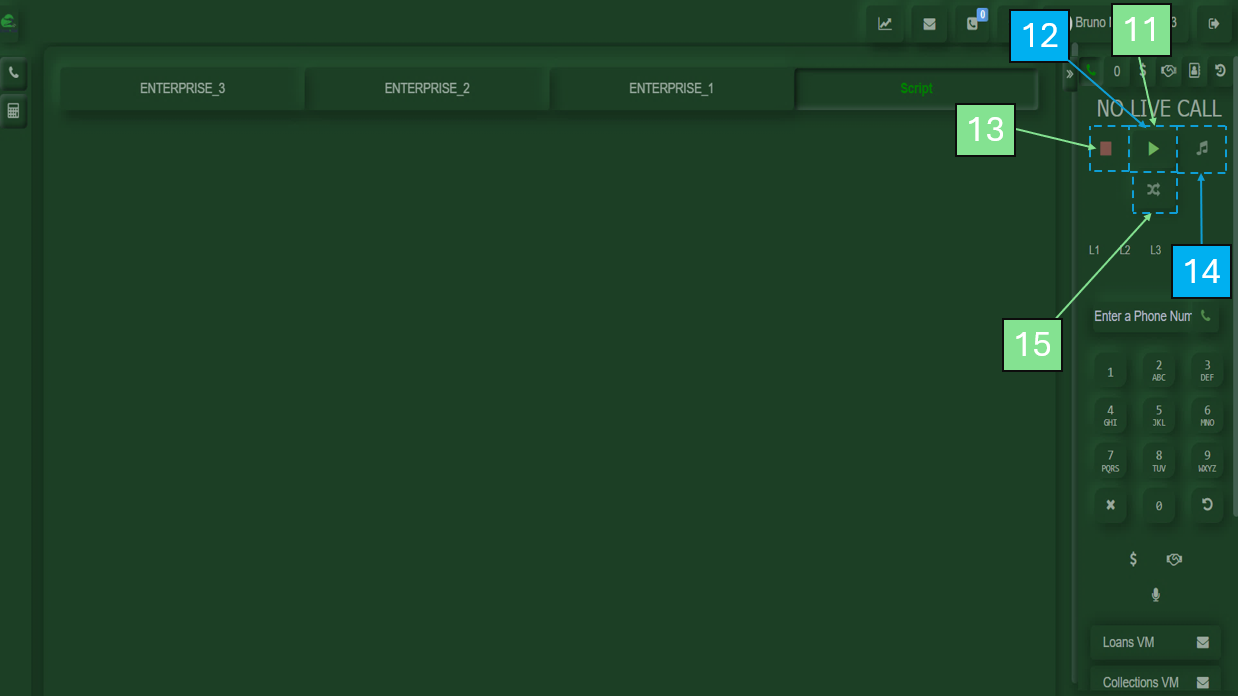
Records all calls made, including the numbers dialed. - Play Button
Used to start receiving calls. - Pause Button
Appears after pressing Play or by scrolling down. Allows you to take a break and select a reason. - Hang Up Button
Used to end the current call. - Hold Button
Used to place the customer on hold. - Transfer button
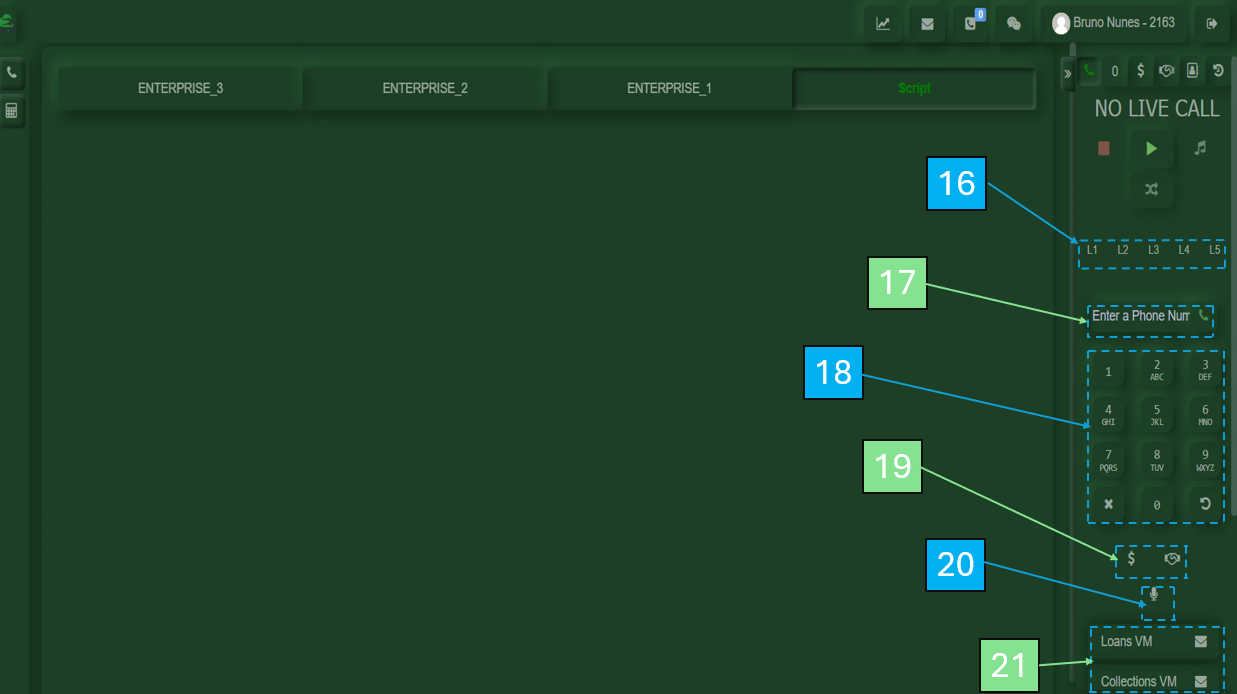
This button allows you to transfer the current call to a colleague. - Call Line Management
Allows you to manage multiple call lines, including placing customers on hold while handling others. - Manual Call Option
Allows you to place a call by entering the customer’s number. - Dial Pad
Numeric keypad used for dialing. - Call Transfer Buttons
Used to transfer calls to departments such as Loans or Collections. Also available at the top before initiating a call. - Mute Button
Used to mute your microphone during a call. - Voicemail Broadcast
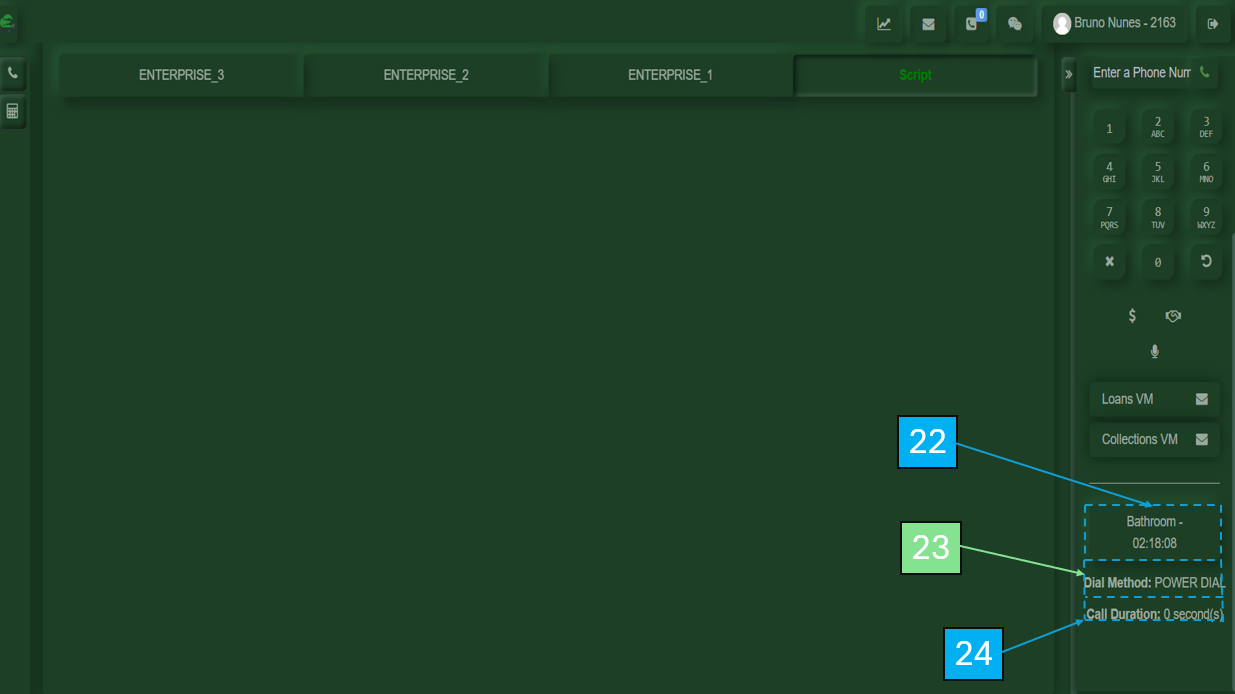
A pre-recorded message sent to the customer’s voicemail. - Break Time Indicator
Shows how long you have been on break. - Dial Method
Displays the current dialing method. - Call Duration
Shows the duration of the current call.