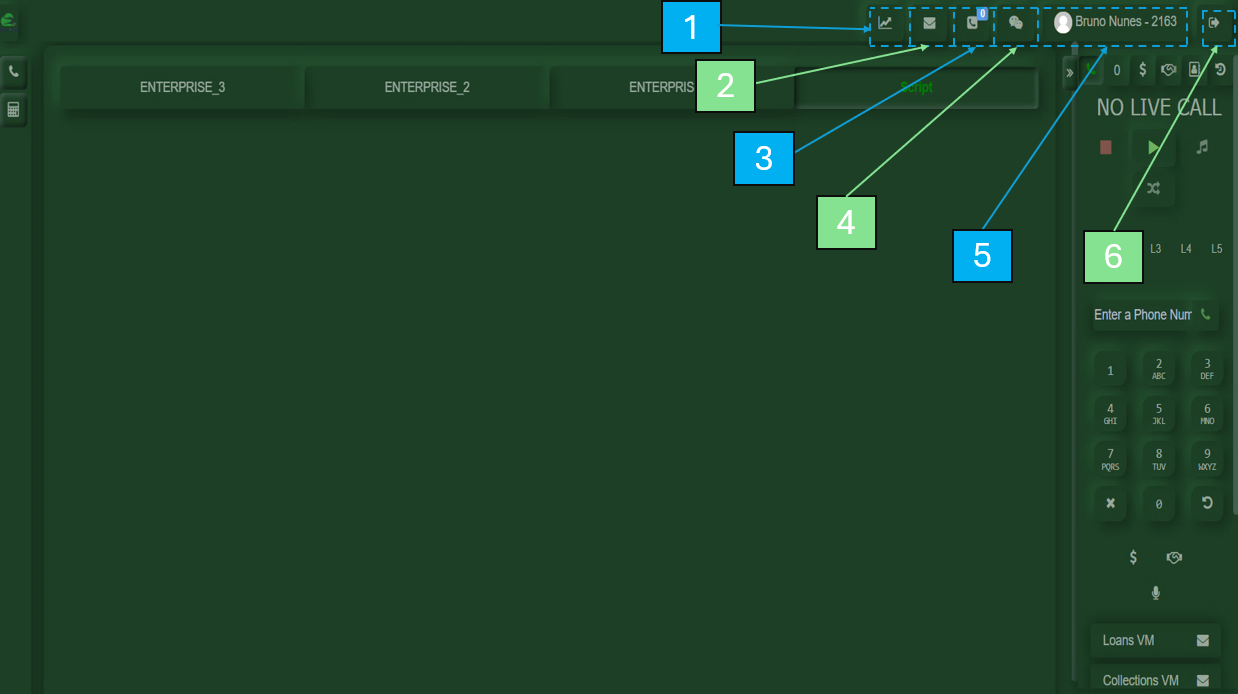
Status & Control Bar
EstadoMydelStats
Displaysagente:your- activity
Readymetrics, including: First Activity, Last Activity, Login Time, Total Calls, Break, Pause, Available, and Talk time.NotVoicemails
ShowsReadythe voicemail messages received in your account.PausedCallbacks
Displays calls returned by customers.InChat
YourCallpersonal chat for communication.Wrap-upMy
Allows you to view your name, interface color, and other personalization settings.Botones:Logout- Button
UsedStartto/signStopout of the system.PauseCall(conMenureasonButton
Returnscodes)you to the call interface to continue handling calls.LogoutCall Queue
Displays customers waiting in line to be attended.
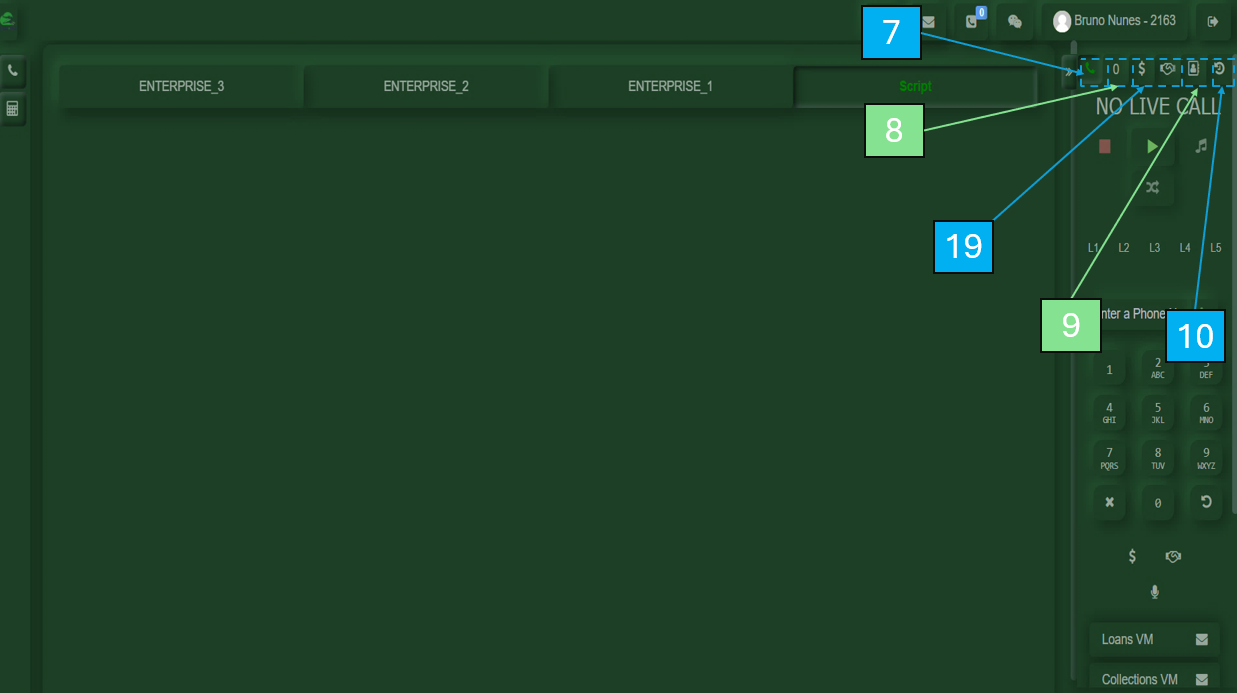
Within the main user interface, you will find several available options:
Contains a list of saved contact numbers for different needs.
Records all calls made, including the numbers dialed.
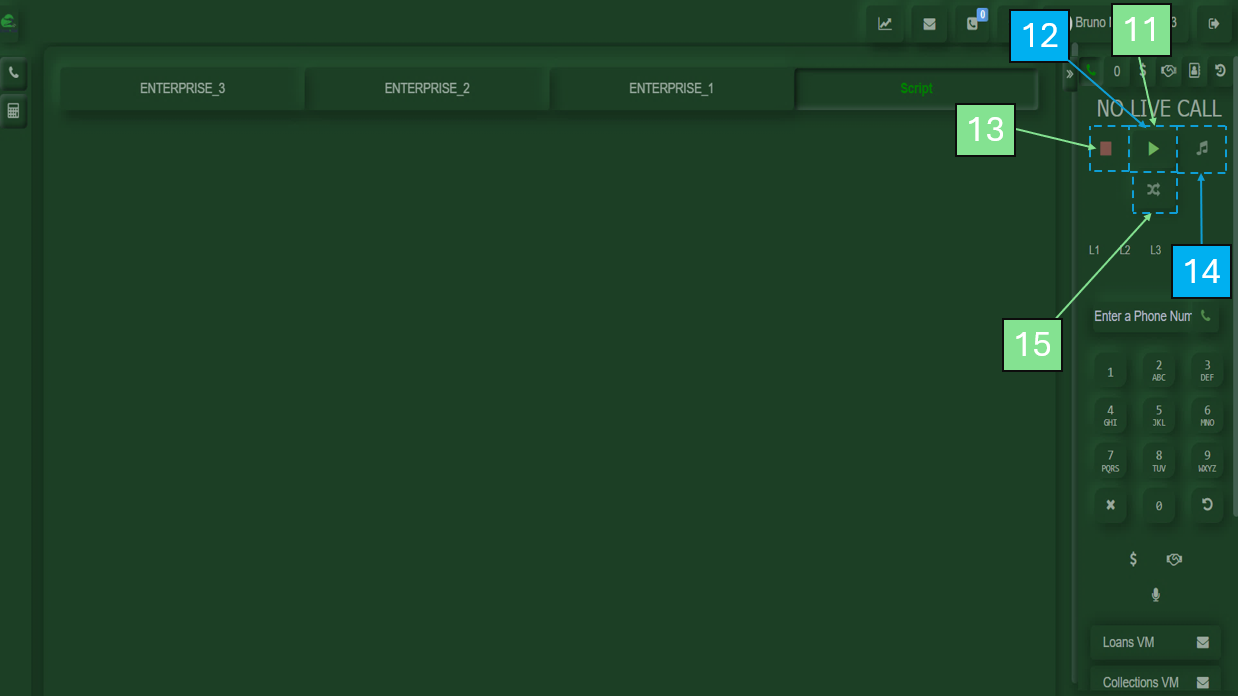
Used to start receiving calls.
Appears after pressing Play or by scrolling down. Allows you to take a break and select a reason.
Used to end the current call.
Used to place the customer on hold.
This button allows you to transfer the current call to a colleague.
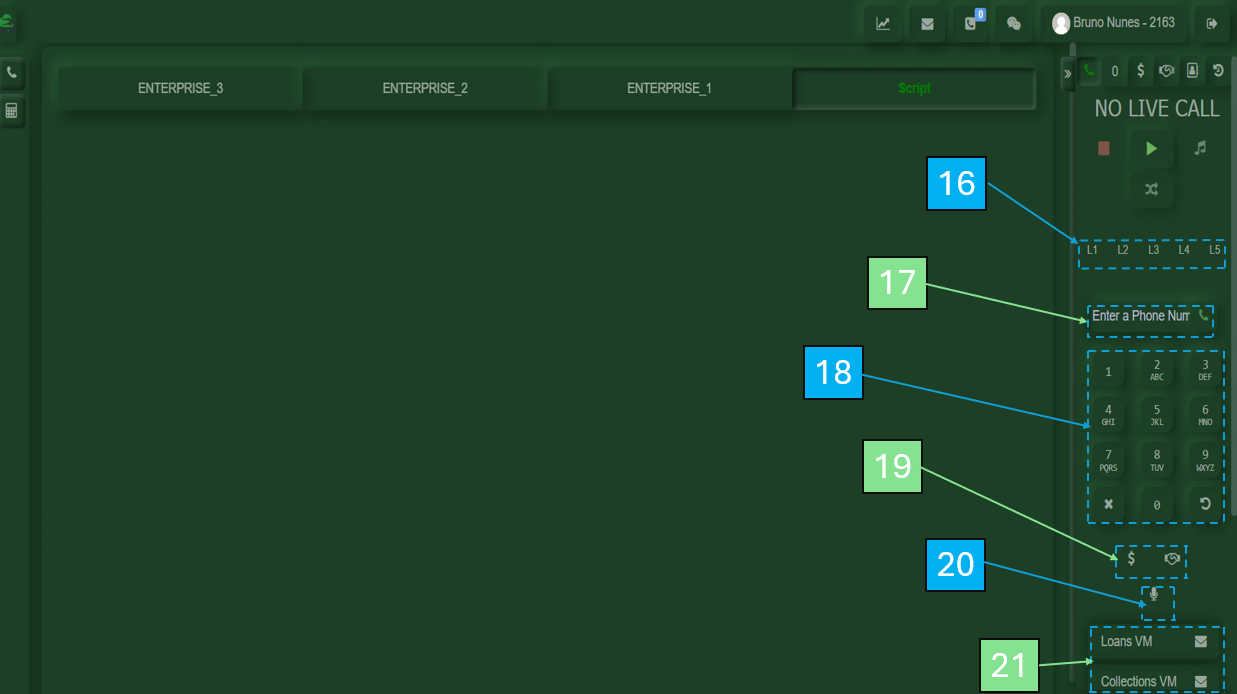
Allows you to manage multiple call lines, including placing customers on hold while handling others.
Allows you to place a call by entering the customer’s number.
Numeric keypad used for dialing.
Used to transfer calls to departments such as Loans or Collections. Also available at the top before initiating a call.
Used to mute your microphone during a call.
A pre-recorded message sent to the customer’s voicemail.
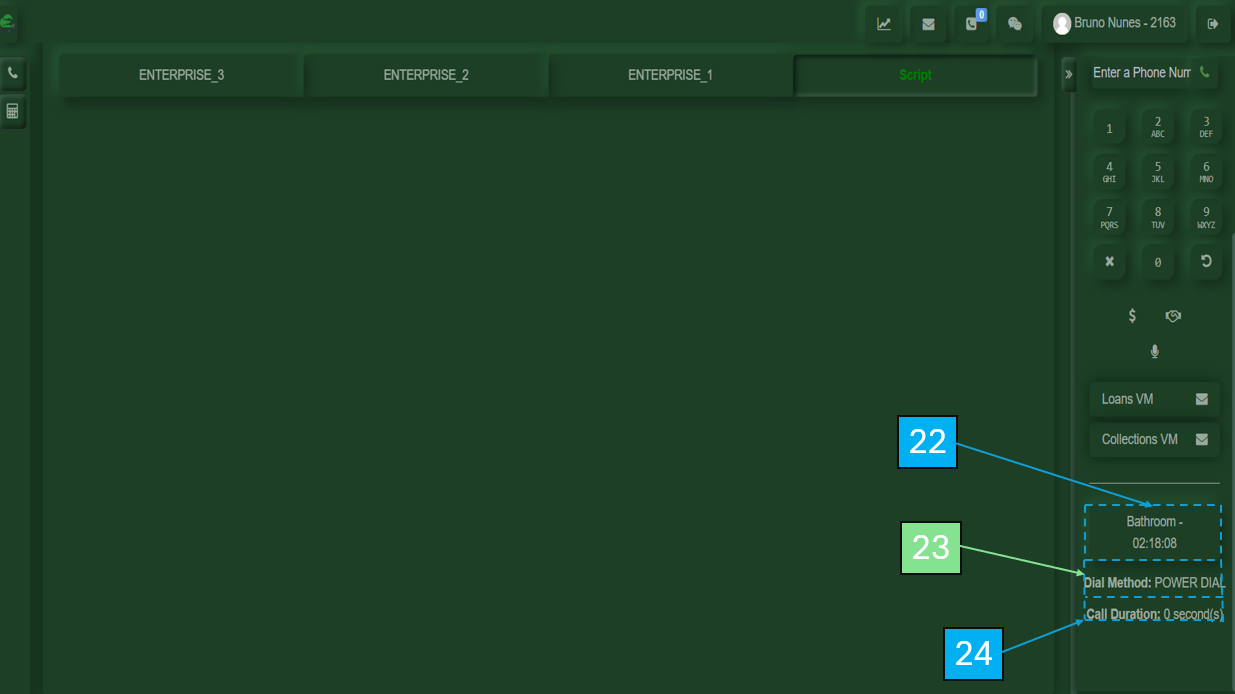
Shows how long you have been on break.
Displays the current dialing method.
Shows the duration of the current call.