
Account Creation
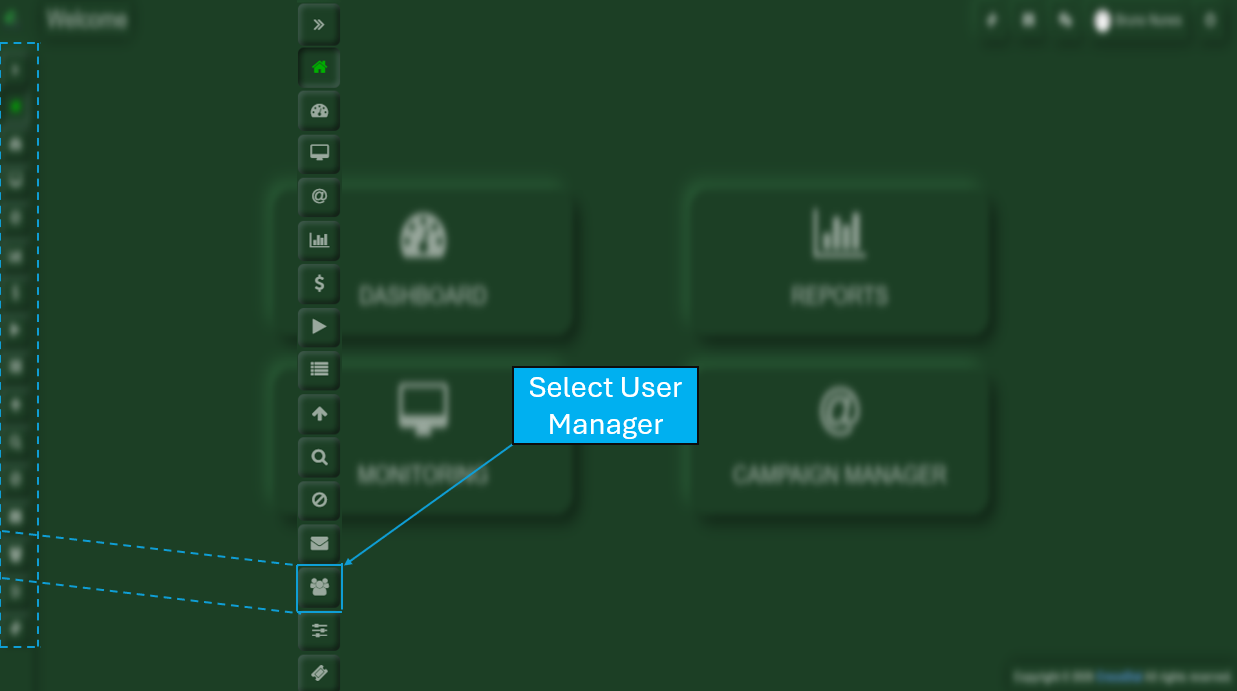
Upon accessing the system using the credentials provided, you will be directed to the main Crocodial dashboard. On the left-hand side, you will find several icons representing the various features available within Crocodial. From these options, you should select User Manager.
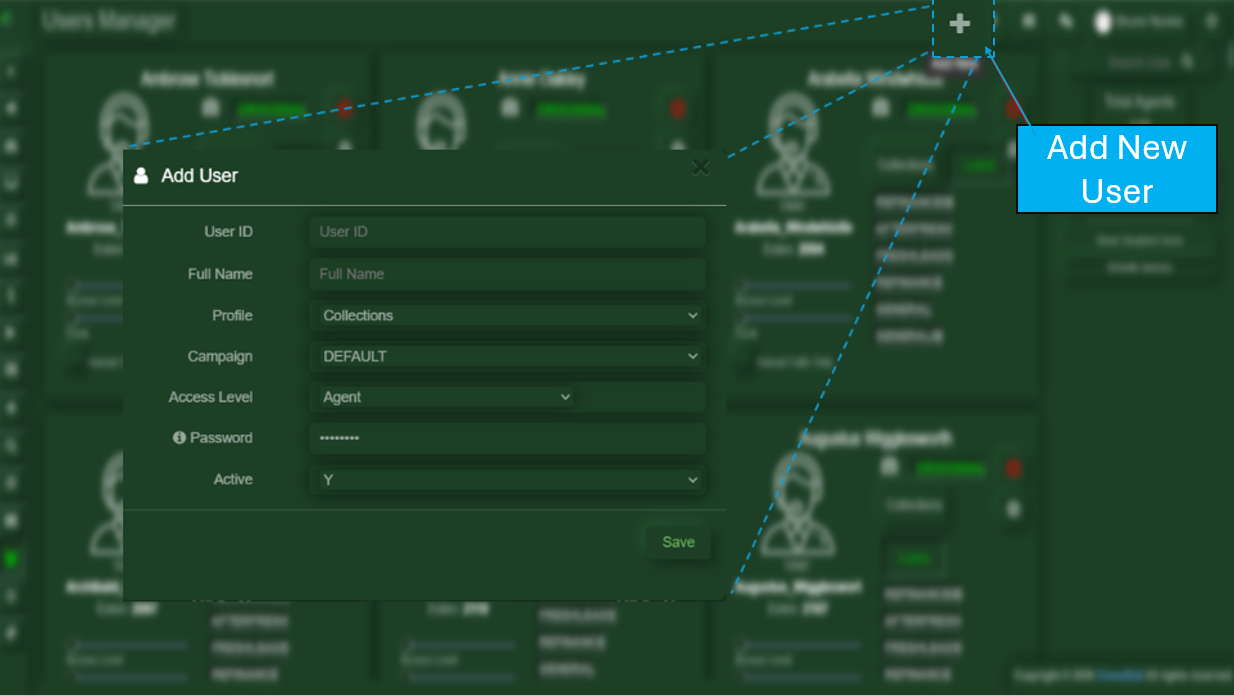
After clicking on the User Manager button, you will see a plus (+) button. Once selected, a new window will open where you will need to complete the following fields:
-
User ID
Enter the corresponding user’s ID. -
Full Name
Enter the user’s full name. -
Profile
Assign the profile that was previously designated for the user. -
Campaign
Assign the campaign that was previously designated for the user. -
Access Level
Assign the access level that has been designated for the user. -
Password
Enter a secure password for the user. -
Active
Indicate whether the user account should be active (Yes/No).
No Comments