Skip to main content
Create User
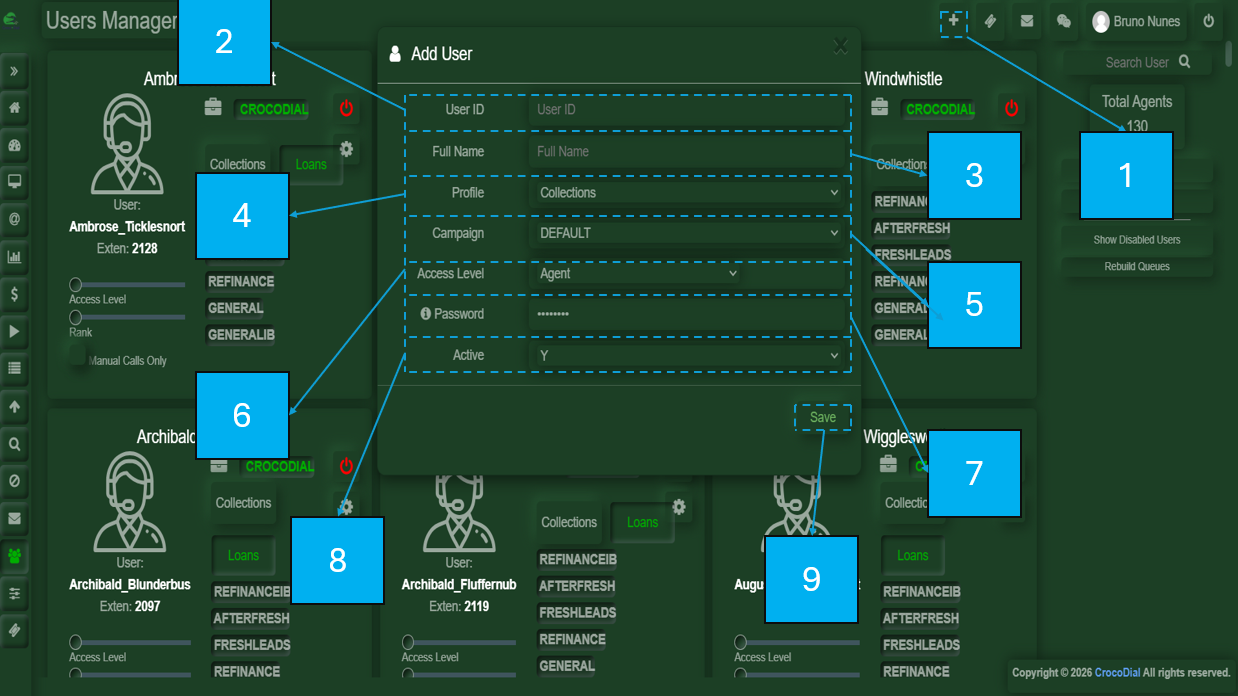
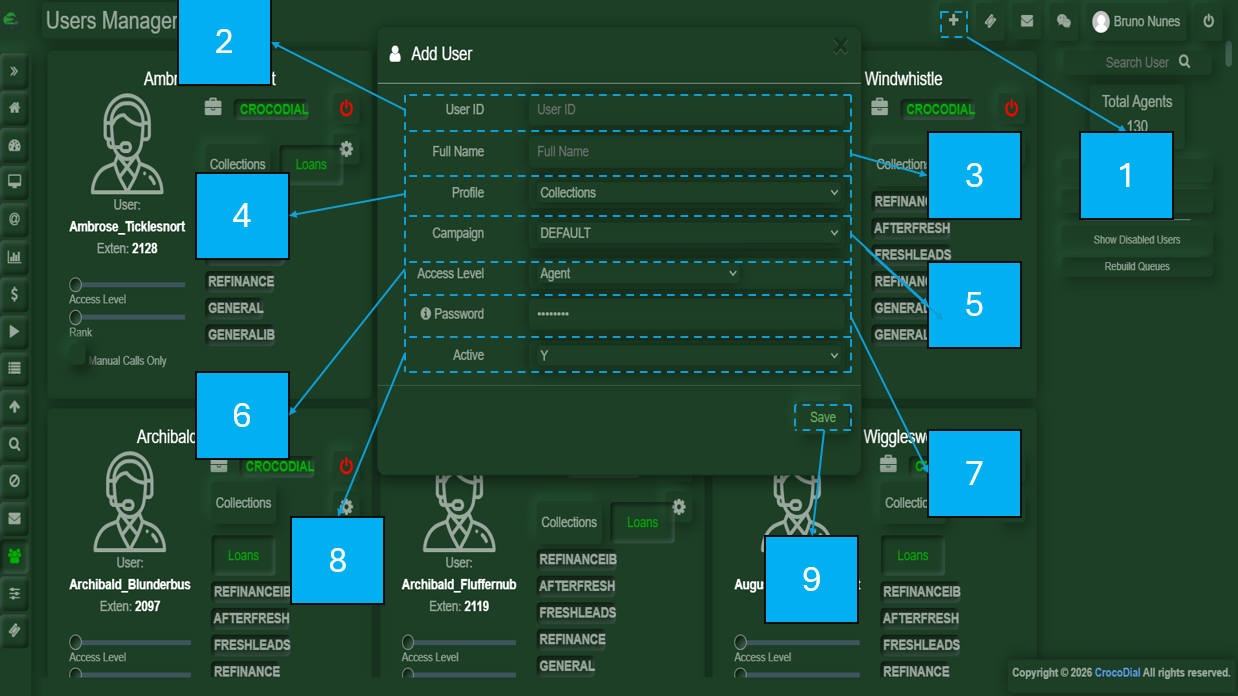
- In the upper-right corner, you will see a plus (+) icon. Click it to open a pop-up window where you can create a new user.
- User ID: A unique number that identifies the user.
- Full Name: The user’s full name.
- Profile: The profile that will be assigned to the user.
- Campaign: The campaign that will be assigned to the user.
- Access Level: Defines the level of access granted to a user based on their role.
- Password: A password that may be predefined or created by the user.
- Active: Indicates whether the user profile will be active or inactive.
- Save: Button used to save the user’s configuration settings.