
Lead Selection Rules
This section explains how leads are selected from the pool and loaded into the lead hopper. Leads are first filtered according to their statuses and then sorted based on the selected criteria.
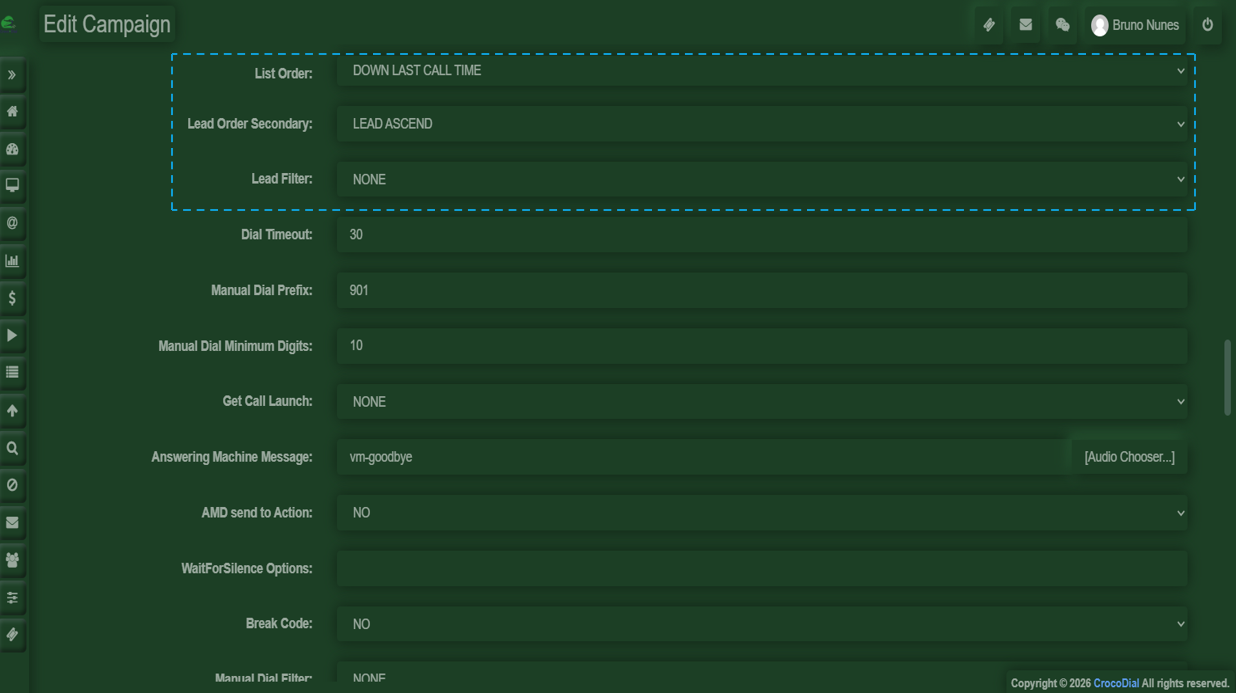
List Order
- DOWN: selects the first leads loaded into the list table.
- UP: selects the last leads loaded into the list table.
- UP PHONE / DOWN PHONE: sorts leads by phone number, either descending or ascending.
- UP LAST NAME / DOWN LAST NAME: sorts leads alphabetically by last name, starting from Z down or A up.
- UP COUNT / DOWN COUNT: sorts leads based on the number of previous calls, either most called first or least called first.
- DOWN COUNT 2nd/3rd/4th NEW: sorts by least called leads and inserts a NEW lead every 2nd, 3rd, or 4th lead. (NEW status must not be selected in dial statuses.)
- RANDOM: selects leads randomly from the defined statuses and lists.
- UP LAST CALL TIME / DOWN LAST CALL TIME: sorts leads by the newest or oldest local call time.
- UP RANK / DOWN RANK: sorts leads by rank, either highest to lowest or lowest to highest.
- UP OWNER / DOWN OWNER: sorts by lead owner names alphabetically, from Z to A or A to Z.
- UP TIMEZONE / DOWN TIMEZONE: sorts leads by timezone, starting from Eastern to Western or Western to Eastern.
List Order Randomize
This option allows you to randomize the order of leads within the results defined by the List Order criteria. For example, the primary order is maintained, but the results are shuffled within that sorting. Setting this option to Yenables randomization, while the default N keeps it disabled. Note: Large lead lists may slow hopper loading when randomization is enabled.
List Order Secondary
The List Order Secondary option provides a secondary sorting mechanism applied after the primary List Order. For instance, if List Order is set to DOWN COUNT, leads with the same call count can be sorted further by oldest first or another secondary criterion. Default is LEAD_ASCEND. Note: If List Order Randomize is enabled, the secondary sort is ignored. Using CALLTIME options with large lead sets may reduce hopper loading speed.
-
Filters (status, region, custom fields)
-
Filters allow you to refine and control which leads are included in a campaign, based on specific criteria.
- Status
Filters leads according to their current state, such as new, contacted, or completed. - Region
Allows you to target leads based on geographic location, helping segment campaigns by area. - Custom Fields
Enables filtering using additional data fields defined within the system, allowing for more precise targeting.
- Status
-
-
Recycling rules (when leads re-enter the queue)
-
Recycling rules define when leads will be reintroduced into the calling queue.
Leads will be dialed again once all the campaign lists have been completed and the configured time interval between calls has been reached.
-
No Comments